
Audit log
Only team admins can open the audit log.
What is recorded
Section titled “What is recorded”Each entry shows when it happened, who did it, the action and what changed. These actions are recorded:
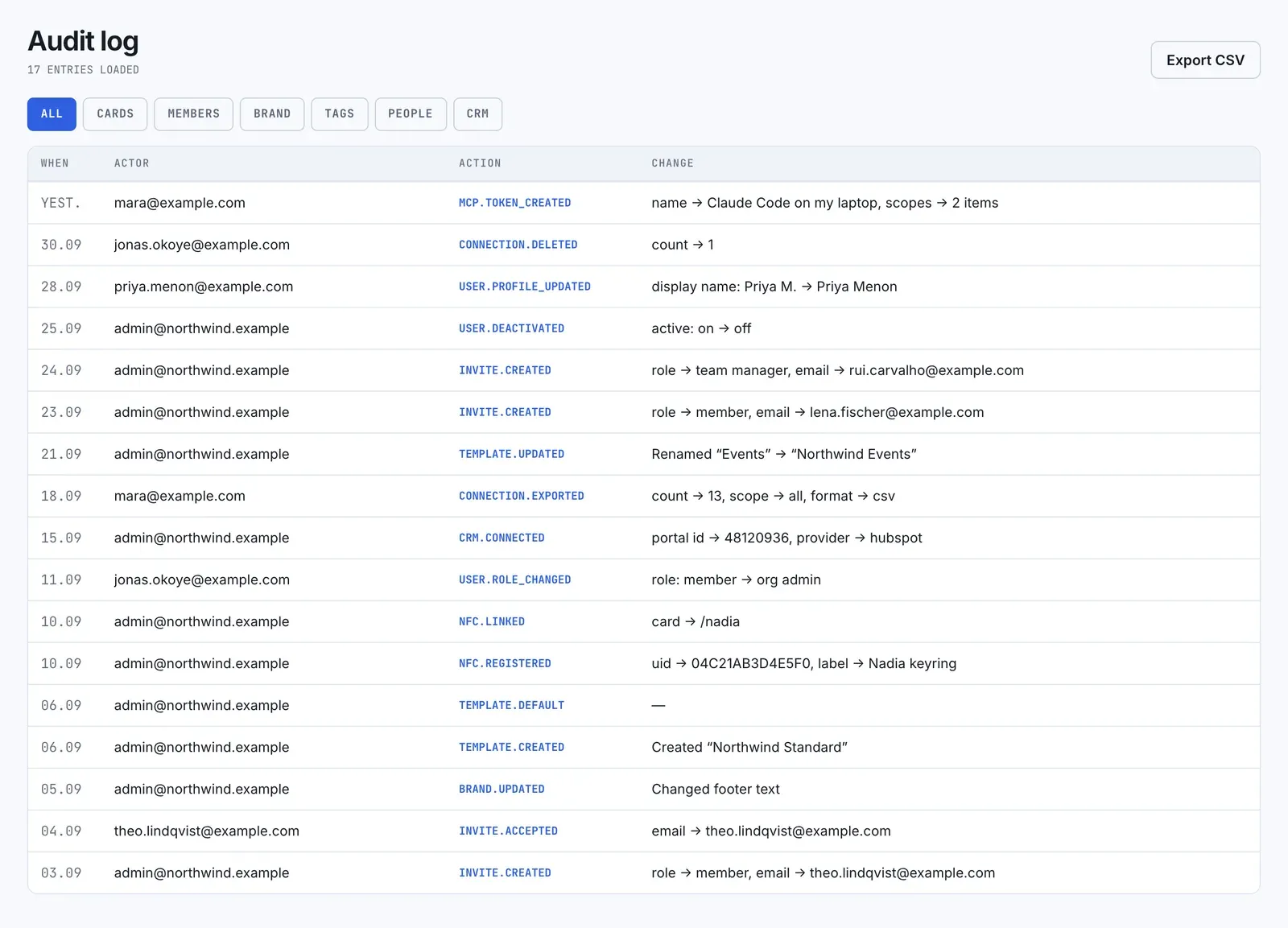
- Members: invitations sent, revoked and accepted, people added with a temporary password, role changes, deactivations and reactivations, people leaving the team, and password resets by an admin.
- Profiles: a member changing their display name.
- NFC tags: tags registered (one by one or by import), linked, unlinked and deleted.
- CRM: HubSpot connected and disconnected.
- Brand: every save, with what it replaced.
- Templates: templates created, changed, deleted and made default.
- Connections: one or many deleted, and exports.
- Account deletions: when a former member deletes their account, with who received their connections.
- AI apps: personal access tokens created and revoked, apps approved and revoked, and changes an AI app made.
Not recorded: changes to AI configuration, pausing or resuming CRM sync, members’ edits to their own cards and connections, and password resets people do themselves.
Filter
Section titled “Filter”Use the chips at the top:
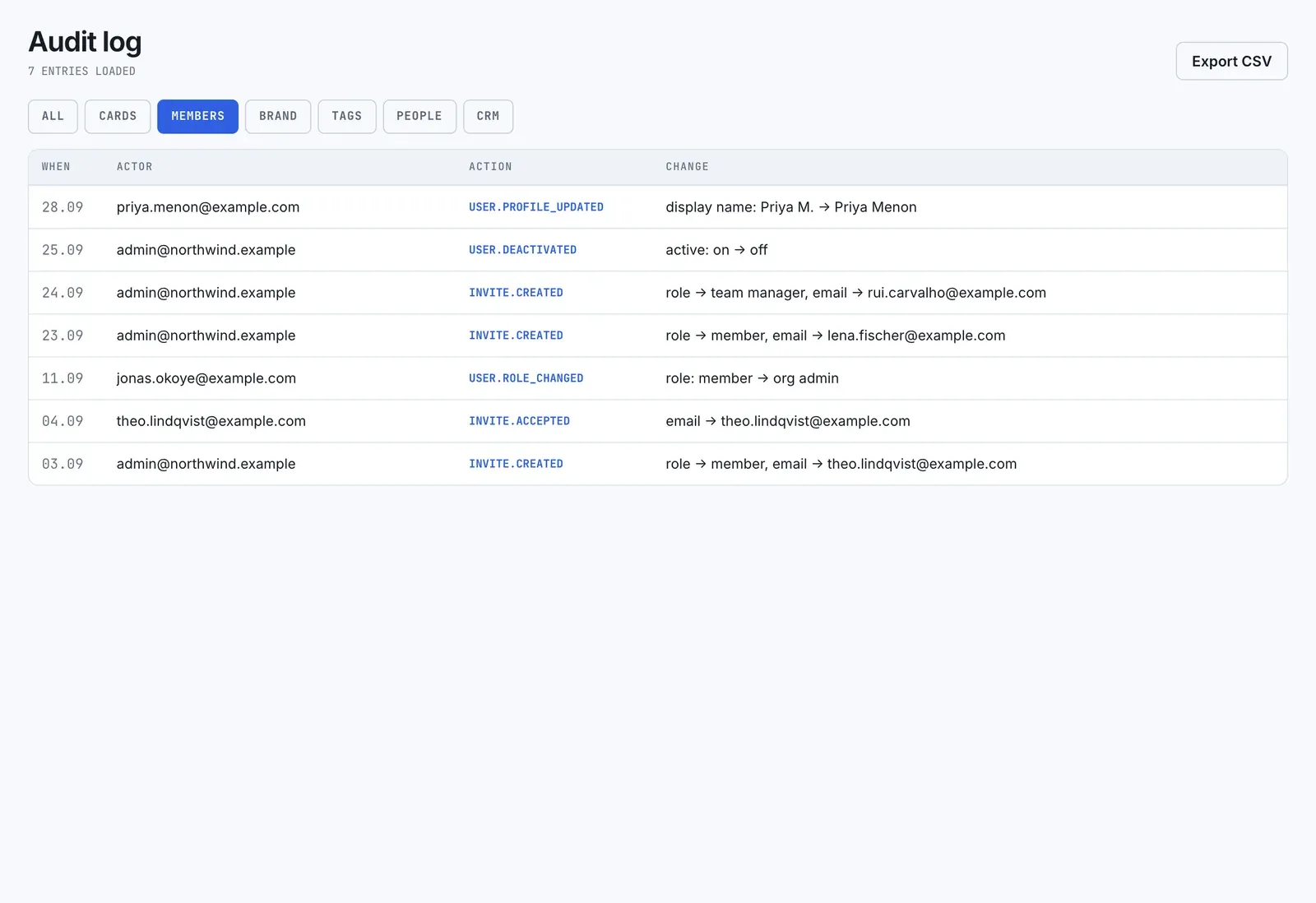
- All: every entry.
- Cards: template changes.
- Members: invitations, members, display name changes and admin password resets.
- Brand: Brand saves.
- Tags: NFC tags.
- People: connection deletions and exports.
- CRM: HubSpot connected and disconnected.
Account deletions and AI app entries appear only under All.
The log loads in pages, newest first. Select Load more for older entries. Some chips filter only the entries already loaded, so load more if you’re looking further back.
Export
Section titled “Export”Export CSV downloads the entries loaded on screen, as filtered. It isn’t the full history. The file is named audit-log- plus the date, with the columns when, actor (an email address where the app can find one), action, target type, target ID and changes.
For exporting connections, see Data, export and deletion.