
Reconnect nudges
Open your nudges
Section titled “Open your nudges”Nudges collects your open promises and the people you haven’t been in touch with for a while. Open it from the menu. On a phone, tap More, then Nudges under ME.
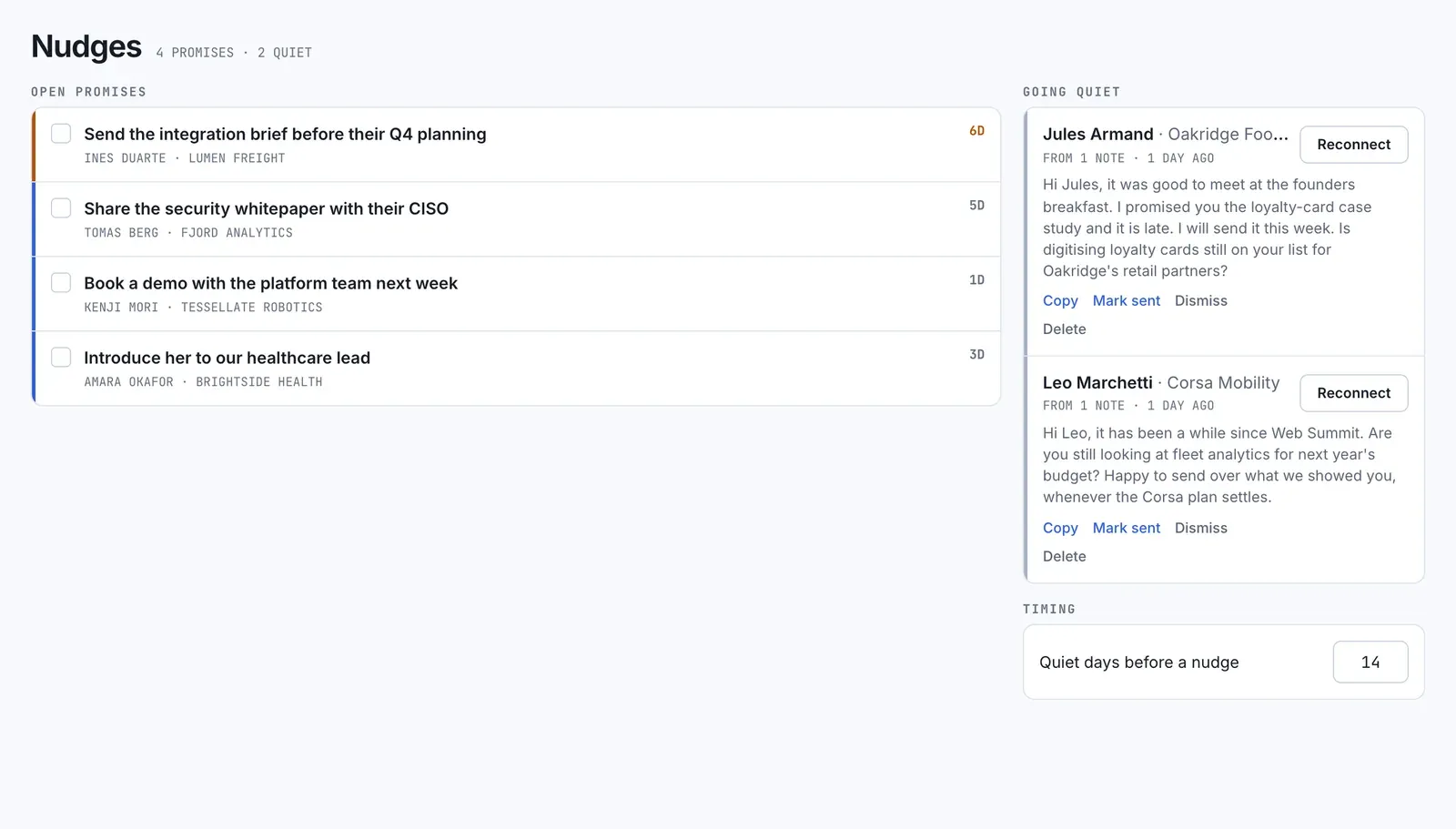 The line under the title counts both lists, for example “2 promises · 3 quiet”.
Open promises
Section titled “Open promises”Open promises lists promises you haven’t kept yet, with the person’s name and how many days old each one is.
- Tick the box to mark a promise done. It leaves the list.
- Select the promise to open the person’s page.
There’s no way to re-open a promise here. To re-open one, go to the person’s page. See Promises and next moves.
Going quiet
Section titled “Going quiet”Going quiet shows people you haven’t been in touch with for a while, each with a reconnect message that met.cards drafted for you. Under the name, “From 3 notes” says how many of your notes the draft was written from.
met.cards looks for quiet relationships once a day. Someone appears here when all of these are true:
- Nothing has been added to their timeline for the set number of days.
- You haven’t marked a follow-up to them as sent in that time.
- You’ve added at least one note or transcribed voice memo about them. Without one, there’s nothing true to write.
For each person, you can:
- Select Reconnect to open their page.
- Select Copy and send the message yourself.
- Select Mark sent once you’ve sent it. A Follow-up sent entry is added to their timeline, and the nudge leaves the list.
- Select Dismiss to remove the nudge without sending.
- Select Delete to remove the drafted message for good.
There’s no snooze. Nudges appear only on this page and in the Follow-ups count on Home. met.cards doesn’t send notifications or emails about them.
When someone counts as quiet
Section titled “When someone counts as quiet”By default, someone counts as quiet after 14 days with nothing new on their timeline.
In a team workspace, team admins can change this for everyone in the workspace. On Nudges, under Timing, enter a number from 1 to 365 in Quiet days before a nudge. It saves when you leave the field. Members don’t see this setting.
A personal workspace always uses 14 days. See Roles and access for what team admins can do.