
met.cards cards
What their code contains
Section titled “What their code contains”A met.cards QR code holds the link to their card: met.cards/ followed by their account name, or by their workspace and card, for example met.cards/northwind/olena.
met.cards reads the card’s public details from met.cards itself, so it gives you everything the card shows.
Ask them to show it
Section titled “Ask them to show it”On an iPhone or an Android phone:
- Open met.cards and select Share my card, or the centre Share button in the tab bar on a phone.
- The QR code is at the top of the sheet.
See Share your card. Scan it from Capture in QR mode.
Last checked: not yet on a phone. These steps follow the app’s own help and may differ in their version.
What met.cards saves
Section titled “What met.cards saves”While it reads the card, met.cards says “Opening their met.cards card…”. Then it shows, for example, Olena Koval’s met.cards card: “We’ll add their public card details.” Select Add to connections.
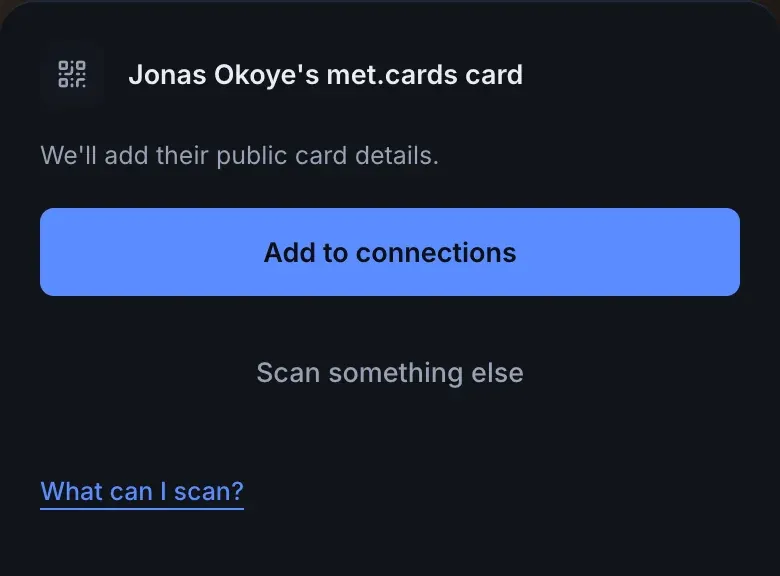
- Their name, email, phone number, company and job title, as their public card shows them.
- The links on their card, under Profiles.
- A link to their met.cards card, under Profiles as Website.
- Any text and address on their card, as a note.
A link with only an account name opens that person’s default card, and the sheet calls it their met.cards page. A team’s page isn’t a person: met.cards says the code opens the team’s page on met.cards and asks you to scan the card of the person you met.
met.cards counts the scan as a save on their card, as it does when anyone saves their contact, even if you then don’t add them.
Name and photo
Section titled “Name and photo”Yes for the name: met.cards fills in the name and other details their public card shows. No setting is needed, because it’s met.cards’ own data. Their photo isn’t saved.
Troubleshooting
Section titled “Troubleshooting”- The scan opened their card in the browser. You used the phone’s camera app. Scan from Capture in QR mode.
- “This card isn’t available any more.” The card was deleted, or its link changed. Ask them to share their card again.
- “We couldn’t open that met.cards card.” met.cards couldn’t reach the card. Check your connection and try again.
- “Too many scans right now.” Wait a minute and try again.
- “We couldn’t read that met.cards card.” met.cards got an answer that isn’t a contact card. Try again later, or ask them to share their card.
- You already have them. met.cards asks before saving a second person, and offers to add their card’s profiles to the person you have. See When you already have them.